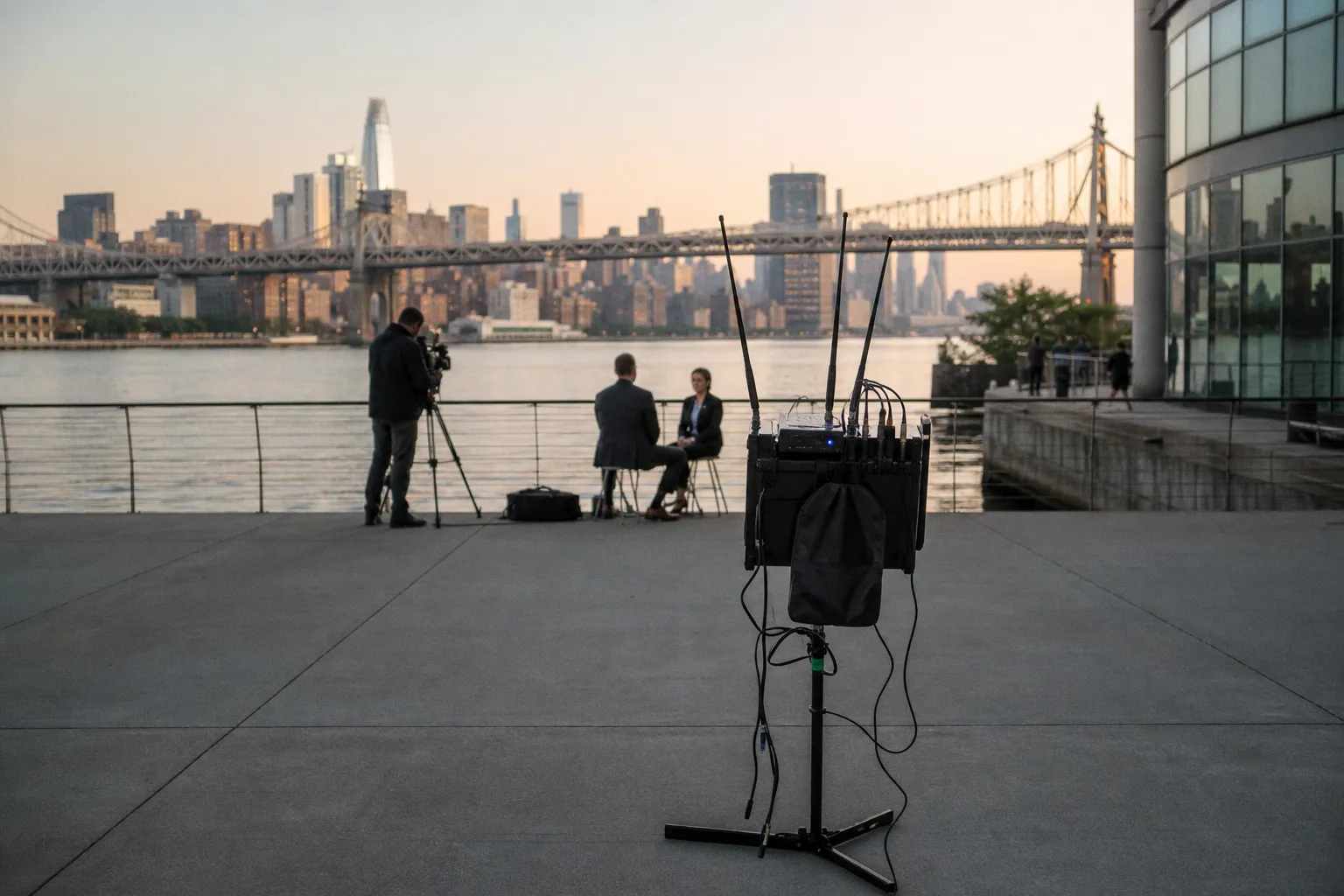
537 MHz. Channel 25. That was the frequency my Sennheiser EW 112P G4 locked onto at 8:14 a.m. on a two-location corporate shoot in downtown Chicago.
The cause: a TV translator station that powered up at 10:30 a.m. on the same frequency. A known transmitter, legal and registered, broadcasting from a rooftop six blocks away. The frequency was clear at 8 a.m. It was not clear by lunch. This is the baseline reality of wireless audio in the UHF band. The spectrum is crowded, dynamic, and indifferent to your production schedule.
If you are not scanning frequencies before every shoot — with a methodology, not a quick glance at the receiver's auto-scan — you are operating blind.
The Legal Landscape and the 600 MHz Ghost
July 12, 2020. That's the date the FCC's 600 MHz transition went final. The 614–698 MHz band — formerly TV channels 38 through 51, the backbone of wireless microphone operation for decades — is now off-limits for unlicensed audio transmitters. The spectrum was auctioned to mobile broadband carriers. If you are still operating a wireless system tuned to 614–698 MHz, you are in violation of federal law. Full stop.
This is not theoretical enforcement. The FCC has authorized T-Mobile and other carriers to deploy LTE and 5G infrastructure across this band. Interference from a cellular tower on your wireless mic frequency isn't a glitch — it's the system working exactly as designed. You are the unauthorized signal.
The primary legal UHF band for wireless microphones in the United States is now 470–608 MHz, corresponding to TV channels 14 through 36. This is your operating window. It is roughly 138 MHz of usable spectrum, shared with broadcast television, and the available "white space" varies drastically by market.
A wireless system marketed before 2020 with a tuning range that extends into the upper 600s is not just outdated — it's a liability. Check your hardware. Check the frequency range printed on the back of every transmitter and receiver you own. If the tuning block reaches above 608 MHz, that portion of the band is dead to you.
The 614–698 MHz band is not "less reliable." It is illegal. If your system tunes there, those frequencies are a regulatory trap, not a backup channel.
Recent FCC action has added nuance. On February 15, 2024, the Commission adopted new rules for Wireless Multichannel Audio Systems (WMAS), with an effective date of November 18, 2024. These rules expand the technical framework for professional multi-channel wireless audio, including wider spectral masks and new coordination requirements. The practical takeaway: the regulatory landscape is not static. What was compliant two years ago may not be compliant today. Check your gear against current FCC Part 74 and Part 15 rules before every deployment.
Mapping the Noise Floor with Transmitters Off
This is the most common scanning error, and it is the difference between a clean shoot and a ruined one: scanning for open frequencies while your own transmitters are still powered on.
When a wireless transmitter is active, it broadcasts a signal that registers on every receiver in range — including the one you're using to scan. The receiver sees your own transmitter as interference. It reports those frequencies as occupied. You then avoid them, or worse, the auto-scan algorithm skips over them and assigns you a channel that appears clean but is actually sitting on top of a local TV station or another wireless system you haven't detected yet.
The protocol is non-negotiable:
1. Power off every transmitter on your cart, in your bag, and in every crew member's pocket.
2. Initiate a full-band scan on each receiver. Use the built-in scan function if your system has one — most modern Sennheiser, Lectrosonics, and Shure receivers offer this — or connect a dedicated spectrum analyzer.
3. Record the results. Note the clean frequencies by channel number and MHz value.
4. Power transmitters back on one at a time, assigning them to the clean channels identified in step 3.
For rigs with four or more channels, a single receiver's auto-scan is insufficient. Intermodulation distortion — covered in the next section — requires coordination across all active transmitters simultaneously. Use dedicated software. Shure Wireless Workbench and SoundBase are the industry standards for this task, both capable of calculating safe frequency sets that account for IMD products.
The noise floor itself is not static. It changes with time of day, nearby building occupancy, and even weather conditions affecting TV signal propagation. A frequency that was clean during your tech scout on Tuesday may be occupied on Thursday morning when a nearby facility powers up its own wireless intercom. Scan on the day. Scan at the time. Scan at the location. Not before, not elsewhere.
Managing Intermodulation Distortion in Multi-Channel Rigs
Intermodulation distortion, or IMD, is the single most misunderstood failure mode in wireless audio. It is not noise from outside. It is interference generated by your own transmitters.
When two or more RF transmitters operate in close proximity, their signals mix at a nonlinear junction — inside the receiver's front end, inside a passive antenna combiner, or even inside metal equipment racks. This mixing produces "phantom" signals at mathematically predictable frequencies: the sum and difference of the original signals, and their harmonics. These phantom signals are IMD products, and they can land directly on the receive frequency of another one of your channels.
The tolerances are tight. With three transmitters operating simultaneously, you can generate dozens of second- and third-order IMD products across the UHF band. One of those products landing on your fourth channel's receive frequency will cause intermittent dropouts that appear to have no external cause. The scan shows the channel as clean. The RF meters read full strength. But the audio breaks up because your own rig is jamming itself.
Intermodulation distortion is self-inflicted interference. Your own transmitters are the source. Coordination software is the only reliable fix for four or more channels.
Coordination software like Wireless Workbench or SoundBase solves this computationally. Input your location, the available TV channels, and the number of wireless channels you need. The software calculates a frequency set where the IMD products of all active transmitters fall outside every receive frequency in use. The math is based on third-order intercept calculations, and the recommended minimum frequency spacing for some digital systems — Deity Theos, for example — is approximately 700 kHz.
This is not optional for large setups. Two channels? You can often get away with manual spacing. Four channels? IMD products start becoming a real risk. Eight channels and above? Coordination software is a hard requirement. The probability of an IMD product landing on a used receive frequency scales nonlinearly with channel count.
The FCC's maximum spectral mask for standard narrowband UHF wireless microphones is 200 kHz per channel. Within that 200 kHz window, the transmitter occupies a predictable slice of spectrum. Coordination software uses these masks, along with the known IMD coefficients of your specific hardware, to calculate safe spacing. Guessing at spacing — "two TV channels apart should be fine" — is how productions end up with phantom dropouts that nobody can diagnose in the field.
UHF vs. 2.4 GHz: Navigating Crowded Wi-Fi and Bluetooth Zones
The 2.4 GHz unlicensed band is the default alternative to UHF for wireless microphone systems. Products from Rode, Hollyland, DJI, and Sennheiser's own XS Wireless Digital line operate here. The appeal is obvious: no frequency coordination with local TV stations, no FCC license considerations, global compatibility.
The tradeoff is equally obvious: you are sharing the band with every Wi-Fi router, Bluetooth headset, and microwave oven within range.
2.4 GHz digital wireless systems are highly susceptible to interference from Wi-Fi and Bluetooth devices. This susceptibility is architectural. The 2.4 GHz band is only 83.5 MHz wide (2400–2483.5 MHz), compared to 138 MHz of usable UHF spectrum. Wi-Fi channels occupy 20–40 MHz each. A single dual-band Wi-Fi router using 40 MHz-wide channels on 2.4 GHz consumes nearly half the available band. In a modern office, convention center, or hotel — exactly the environments where corporate shoots happen — the 2.4 GHz band is saturated before you arrive.
The practical consequence: shorter operating distances, stricter line-of-sight requirements, and a higher probability of dropouts in indoor environments. Where a UHF system might maintain a stable link at 100 meters in a moderately crowded RF environment, a 2.4 GHz system in the same location may begin to stutter at 30 meters, particularly if there are multiple active Wi-Fi networks in the space.
| Parameter | UHF (470–608 MHz) | 2.4 GHz Digital |
|---|---|---|
| Usable spectrum | 138 MHz | 83.5 MHz |
| Typical indoor range | 60–100 m | 15–40 m |
| Primary interference sources | TV transmitters, other wireless mics | Wi-Fi routers, Bluetooth, IoT devices |
| Coordination requirement | Spectrum scan + IMD calculation | Wi-Fi channel avoidance |
| Regulatory complexity | FCC Part 74/15, channel-specific | Part 15, shared with consumer devices |
| Best use case | Multi-channel field production, live events | Single- or dual-channel quick setups, indoor corporate |
For a one-person-band interview with a single lavalier, 2.4 GHz is often sufficient — if you can control the environment or at least verify that Wi-Fi congestion is minimal. For anything requiring four or more simultaneous wireless channels in a public or commercial space, UHF with proper coordination remains the only viable approach. No amount of frequency-hopping or digital error correction in a 2.4 GHz system can compensate for a band that is fundamentally overcrowded.
Physical Optimization: Antenna Diversity and Squelch Calibration
Frequency coordination is only half the equation. The physical deployment of your receive antennas and the calibration of your squelch threshold directly determine whether a clean frequency stays clean in practice.
Antenna Diversity and Spacing
Most professional UHF receivers use diversity reception — two antennas feeding a circuit that selects the stronger signal at any given instant. This combats multipath interference, the phenomenon where a transmitted signal bounces off walls, floors, and objects, arriving at the receiver via multiple paths with different phase relationships. When these reflections combine destructively at the antenna, the signal drops — a multipath dropout.
Diversity reception mitigates this, but only if the antennas are spaced correctly. The minimum recommended distance between diversity antennas is one full wavelength of the operating frequency. At 500 MHz in the center of the UHF band, one wavelength is approximately 60 cm — roughly 24 inches, or two feet. At the lower end, 470 MHz, it extends to approximately 64 cm. The commonly cited minimum of 12 inches (30 cm) is a practical compromise for bag-mounted receivers where full wavelength spacing is physically impossible, but it comes with a measurable reduction in diversity effectiveness.
Antenna orientation matters. Whip antennas on UHF receivers are typically vertically polarized. Mounting both antennas in the same vertical plane, parallel to each other, reduces the spatial diversity gain. Angling them in a V-pattern — 45 degrees left and 45 degrees right from vertical — creates a broader pickup pattern that better handles reflections from multiple directions.
Squelch Calibration
Squelch is a gate. It mutes the receiver's audio output when the received RF signal drops below a set threshold. Its purpose is to prevent the hiss and static bursts that occur when a transmitter is off or out of range.
The problem is calibration. Squelch set too low permits bursts of RF static to leak through when the transmitter signal is marginal — during a brief line-of-sight obstruction, for example, or when the talent turns their body and the lavalier antenna is momentarily shielded. Squelch set too high causes the audio to mute prematurely as the signal level fluctuates, even when the audio content is still recoverable.
The correct squelch threshold sits just above the ambient RF noise floor. Most professional receivers display the noise floor level in their scan results. Set the squelch 2–4 dB above that floor. Some systems — Lectrosonics' Digital Hybrid line, for example — offer automatic squelch calibration during the scan process. Trust it for a baseline, then verify manually by walking the talent to the farthest point of their operating range and listening for artifacts.
Squelch is not a set-and-forget parameter. The noise floor changes with location. Recalibrate on every setup change.
Battery management ties directly into signal reliability. A transmitter running on a partially depleted battery will exhibit reduced RF output power, which compresses the margin between the received signal and the squelch threshold. The industry-standard interval for proactive battery replacement in high-stakes field recording is four hours. This is not conservative — it is the point at which alkaline cells in most UHF transmitters begin to exhibit voltage sag under load that can reduce output by 1–2 dB. Rechargeable lithium-ion packs hold voltage more consistently but introduce their own failure mode: a hard cutoff with minimal warning when the cell is depleted.
The Keys Test and Stress-Testing Digital Codecs
The "Keys Test" is a standard field diagnostic for wireless microphone systems. It works as follows: hold a set of metal keys approximately 15–20 cm in front of the microphone capsule and jingle them. The result reveals how the system's data compression — whether analog companding or digital codec — handles high-frequency transient content.
Keys produce a complex, broadband transient signal with significant energy above 5 kHz. This is the exact frequency range where companding artifacts and digital codec limitations become audible. An analog compander system (Sennheiser's HDX companding, for example) may introduce a subtle "breathing" or "pumping" artifact on the transients — a low-level modulation of the noise floor that correlates with the signal amplitude. A poorly implemented digital codec may produce audible aliasing, a hard clip on the leading edge of transients, or a distinct "metallic" coloration on the decay.
The test is simple, fast, and reveals problems that a normal speech check will not expose. Spoken voice is a relatively low-bandwidth, low-transient signal. It masks codec artifacts effectively. The sharp, broadband nature of jingling keys bypasses that masking.
Perform this test at the operating distance, not with the microphone next to the receiver. Transmission artifacts are distance-dependent — they worsen as the signal-to-noise ratio decreases. A system that passes the Keys Test at two meters may fail it at fifteen meters, particularly in a high-interference environment.
Run the test with headphones, monitoring the receiver's audio output directly. Do not rely on meter readings alone. The artifacts are audible — subtle modulation, aliasing, or clipping — and require critical listening to detect.
---
The verdict. Scanning wireless frequencies before a shoot is not a best practice. It is a minimum operational requirement. The UHF band is legally constrained, physically crowded, and subject to real-time changes in the noise floor. The 2.4 GHz alternative trades regulatory simplicity for extreme RF congestion in exactly the environments where production happens. Intermodulation distortion in multi-channel rigs is a calculable problem with known solutions — solutions that require software, not guesswork. Antenna placement, squelch calibration, and codec stress-testing via the Keys Test are the remaining variables between a clean recording and a production disaster.
Scan with transmitters off. Use coordination software for anything above two channels. Verify with keys. Replace batteries every four hours.
Everything else is luck.