A nominally 5600K LED studio light can drift far enough from its initial chromaticity to put a green or magenta cast into an interview shot. The exposure may remain stable. The waveform may look clean.
Skin tone is still wrong.
This is not a minor aesthetic disagreement. A Duv movement greater than 0.002 is generally visible. On a close interview framing, that shift lands directly in the hue range viewers read most aggressively: skin. The result is the familiar failure pattern—one side of the face trends green, the background neutralizes differently, and the grade becomes a correction exercise rather than a finishing pass.
The problem is often misdiagnosed as a camera white-balance error. It is frequently the fixture. More precisely: the fixture’s thermal state, LED bin consistency, phosphor behavior, and dimming method.
The physics behind LED chromaticity drift
An LED does not produce a permanently fixed spectral output. Its emission changes with junction temperature. As the semiconductor junction heats, the bandgap behavior shifts and the peak emission wavelength moves. In white LEDs, the phosphor layer adds another variable. It converts part of the blue LED output into broader-spectrum light, and that conversion is also temperature-sensitive.
A fixture can therefore meter at the expected illuminance while departing from its stated chromaticity target.
The critical distinction is between output and color. Foot-candles tell you how much light reaches the subject. They do not tell you whether that light has moved above or below the blackbody locus. A light meter without color measurement can confirm exposure and miss the fault entirely.
For a typical LED studio lighting setup, the highest-risk period is not necessarily the first minute after power-on. It is the period before thermal equilibrium. The heat sink, driver, LED board, phosphor system, and housing are still settling. A white balance captured immediately after powering the fixture can be invalid ten minutes later.
Long-term operation creates a second issue. Heat and high-energy radiation contribute to phosphor degradation. The warm and cool emitters inside a bi-color fixture do not necessarily age at the same rate. That unequal yield changes the mixed spectrum, particularly where the fixture is already working near the edge of its correlated color temperature range.
A fixture can hold exposure while losing chromatic accuracy. Those are separate metrics.
This is why a high CRI figure is not a warranty against drift. A CRI rating above 95 or 96 may indicate strong color-rendering performance at the tested state. It does not establish that the fixture will remain at the same chromaticity after warming, after dimming, or after hundreds of operating hours.
Duv is the number the spec sheet often buries
Correlated color temperature is incomplete. Two lights can both report 5600K and still produce visibly different skin tones. One may lean green. The other may lean magenta. CCT describes the broad color-temperature neighborhood; Duv describes the displacement from the blackbody locus.
Positive Duv means greenward. Negative Duv means magentaward.
That is the metric that explains why a supposedly matched pair of LED panels can make a key light look sickly while the fill appears pink, even when both displays show the same Kelvin value.
| Parameter | What it indicates | Practical consequence on an interview |
|---|---|---|
| CCT | Approximate warm-to-cool position | Determines broad white-balance target |
| Positive Duv | Green displacement from blackbody locus | Skin can appear sallow or green |
| Negative Duv | Magenta displacement from blackbody locus | Skin can skew pink or purple |
| CRI | Color rendering under a test method | Useful, but not a measure of warm-up drift |
| SDCM / MacAdam steps | Consistency between chromaticity points | Indicates whether fixtures visibly mismatch |
A Duv difference above 0.002 can be perceptible to the eye. On cameras with controlled exposure, neutral wardrobe, and close skin-tone reproduction, the camera can make the discrepancy more obvious than a casual visual inspection of the fixture.
MacAdam Ellipses provide another useful tolerance reference. Within one SDCM step, a color difference is generally imperceptible. One to three steps are difficult to see. At four steps or more, the mismatch becomes visible.
That matters when matching fixtures, not merely evaluating one light in isolation. A key may be acceptable on its own. A second LED panel used for edge light, background separation, or fill can expose its inconsistency immediately. The shot contains two white references. The grade cannot make both neutral if they occupy different chromaticity coordinates.
Cheap LED studio lights are more likely to reveal this issue because the cost pressure usually appears in LED binning, calibration, driver design, thermal mass, and quality control. But price is not a complete predictor. A premium fixture can also drift if it is operated in a hot room, enclosed in a softbox with poor airflow, or pushed at a difficult bi-color mix ratio.
The bi-color trap is not just a budget-light problem
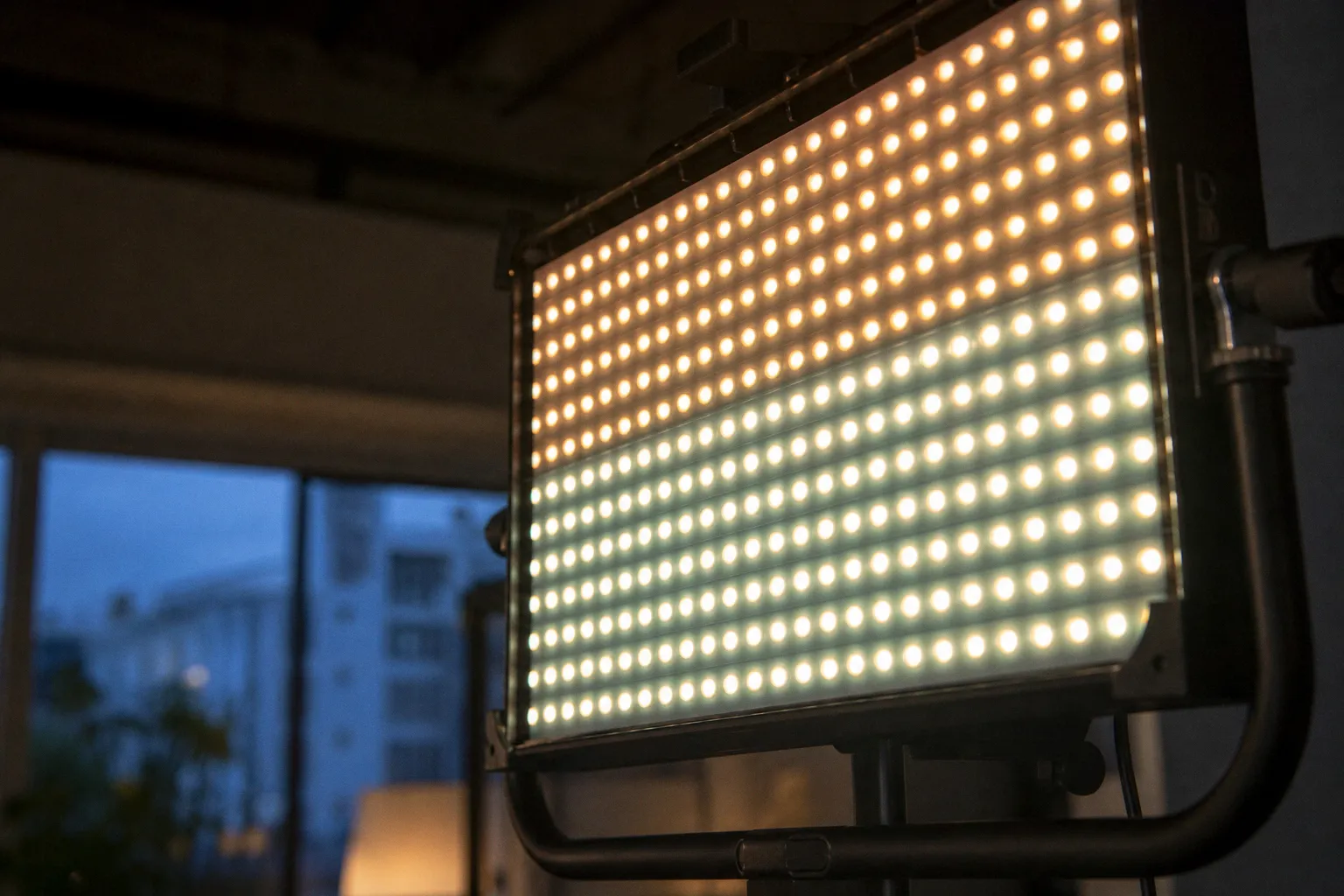
Bi-color fixtures produce intermediate CCT values by mixing warm and cool LED chips. At 5600K, the cool channel may dominate. At 3200K, the warm channel may dominate. Between those points, the fixture depends on a controlled ratio between two separate emitter populations.
That ratio is where tolerances accumulate.
Warm chips and cool chips can have different spectral distributions, different thermal behavior, and different aging curves. If one channel shifts more than the other, the fixture may still display the correct CCT while moving in tint. The control panel says 4300K. The meter may agree on CCT. The subject is green.
The failure tends to become more obvious at the CCT extremes because one emitter group is doing most of the work. It also appears at intermediate settings when the fixture’s calibration table does not precisely compensate for the output behavior of both channels.
For interview work, the operating rule is simple:
1. Choose a stable target CCT early. Do not continuously adjust a bi-color key during setup and then assume the final chromaticity is unchanged.
2. Warm the fixture before setting camera white balance. The exact duration varies by fixture, ambient temperature, output level, and enclosure. There is no universal number worth pretending exists.
3. Measure the key and fill independently. Matching their display values is not matching their output.
4. Test the actual operating point. A light that is clean at 5600K may not be clean at 3800K and 20% intensity.
5. Recheck after the interview has been running. This is especially relevant for long takes, compact COB units in restrictive modifiers, and panels operating at high output.
A mixed-source setup compounds the problem. Daylight through a window, a bi-color key, a practical lamp, and an LED tube in the background create several white points before the camera rolls. If the key drifts, the production has no neutral baseline left. The colorist is then balancing competing errors rather than correcting one identifiable cast.
PWM dimming does not make color shift disappear
Pulse Width Modulation dimming is often treated as a clean solution because the LEDs are switched on and off rapidly rather than operated at a reduced continuous current. The claim is directionally useful but incomplete.
PWM can preserve aspects of LED spectral behavior better than crude current reduction. It does not eliminate thermal behavior. Changing duty cycle changes average energy delivery. That changes junction temperature. Junction temperature affects chromaticity.
At reduced dimming levels, a fixture can therefore show a different tint than it showed at full output, even if the manufacturer’s dimming system is technically sound. The magnitude depends on the LED architecture, driver, heat dissipation, control implementation, and calibration.
The test protocol should include intensity, not merely CCT.
A usable test sequence for a LED studio light is:
- Run the fixture at the intended CCT and 100% output until its body temperature and color readings stabilize.
- Record CCT, Duv, illuminance, and any visible channel imbalance.
- Repeat at the actual working intensity, not an arbitrary 50%.
- Check the fixture at the beginning and end of a sustained operating period.
- Repeat at the CCT setting the production will actually use.
- Compare the fixture against the fill, rim, and background units, not against memory.
This is not laboratory theater. It is a short test that prevents a multi-camera interview from arriving in post with a moving tint error.
Flicker should also be tested separately. PWM frequency, shutter angle, frame rate, and scan behavior are one problem. Chromaticity drift under dimming is another. A fixture can be flicker-free at the chosen camera settings and still change Duv as its output level changes.
Flicker-free does not mean tint-stable. A driver can pass one test and fail the other.
How to stop the green cast on set
The correct response depends on whether the shift is static or dynamic.
A static cast is present but stable after warm-up. That is manageable. A dynamic cast changes during the take. That is more serious because it forces time-based correction later, often across moving skin, shifting exposure, and multiple camera angles.
Start with thermal stabilization. Power the key, fill, and any large LED source early. Run them at the intended CCT, modifier configuration, and output level. A bare COB light does not operate at the same thermal condition as that same COB pushed through a dense softbox, lantern, or diffusion stack.
Then set white balance. Not before.
If the meter indicates a green bias, physical correction is usually cleaner than relying on camera tint compensation. Minus Green gel adds magenta correction. It is blunt by design, but it can bring an offending source toward the rest of the setup. The exact gel strength should follow a measurement or a controlled camera test, not a guess based on the fixture’s display.
Diffusion can help in a different way. High-quality diffusion does not change a fixture’s underlying chromaticity defect into a correct spectrum. It can, however, blend spatially inconsistent phosphors and reduce visible patchiness from a panel or multi-emitter source. This matters when the LED panel color shift is not uniform across its face.
The on-set hierarchy is strict:
- First, stabilize the fixture thermally.
- Second, measure or camera-test its CCT and Duv at the working output.
- Third, correct the source physically if it has a stable offset.
- Fourth, match the rest of the lighting package to that corrected key.
- Fifth, lock camera white balance only after the sources are stable.
Do not use automatic white balance as a repair strategy. In an interview, auto white balance may chase a changing source, shifting the entire frame as the subject moves, the background enters the analysis area, or the fixture’s tint drifts. It substitutes one unstable variable for another.
If the light shifts dynamically after stabilization, replace it or demote it to a noncritical role. Background texture can tolerate a slight tint variance. A key light on skin cannot.
Post can recover some failures, not all of them
Static green or magenta contamination can often be corrected with white-balance temperature and tint controls, secondary keys, hue-versus-hue adjustments, or targeted skin isolation. That is routine color work.
Dynamic drift is different. The correction must change over time. The editor or colorist may need to keyframe white balance and tint adjustments across the clip. In compositing workflows, tools such as a Color Stabilizer effect can assist with temporal consistency. They do not reconstruct spectral information that was never captured.
The limitations are practical:
- A global tint correction can neutralize skin while contaminating a previously neutral background.
- A skin key can fail when the subject turns, gestures, or shares hue values with wardrobe and set dressing.
- Multi-camera coverage may contain different drift patterns from different fixtures or sensor responses.
- Strong correction can expose noise, compression artifacts, or channel imbalance in underexposed footage.
- A changing source can produce changes that do not map cleanly to one temperature-and-tint curve.
The most expensive phrase in this workflow is: “We’ll fix it in post.” It is sometimes true. It is not a production method.
Color correction is strongest when it refines an already controlled image. It is weakest when asked to compensate for a key light whose chromaticity moves during a take.
The strict verdict
If an LED studio light changes visibly in Duv after warm-up or shifts tint when dimmed to the production level, it fails as an interview key. CRI does not excuse it. A high output rating does not excuse it. A clean housing and a convincing Kelvin display do not excuse it.
Use the fixture for background work, practical enhancement, or noncritical fill if its output is otherwise useful. Do not put it on skin and ask post to absorb the tolerance failure.
For reliable interview lighting, the benchmark is not “looks white.” It is stable CCT, controlled Duv, repeatable output, and consistency between fixtures after they reach operating temperature. Anything less is not a lighting package. It is a variable.